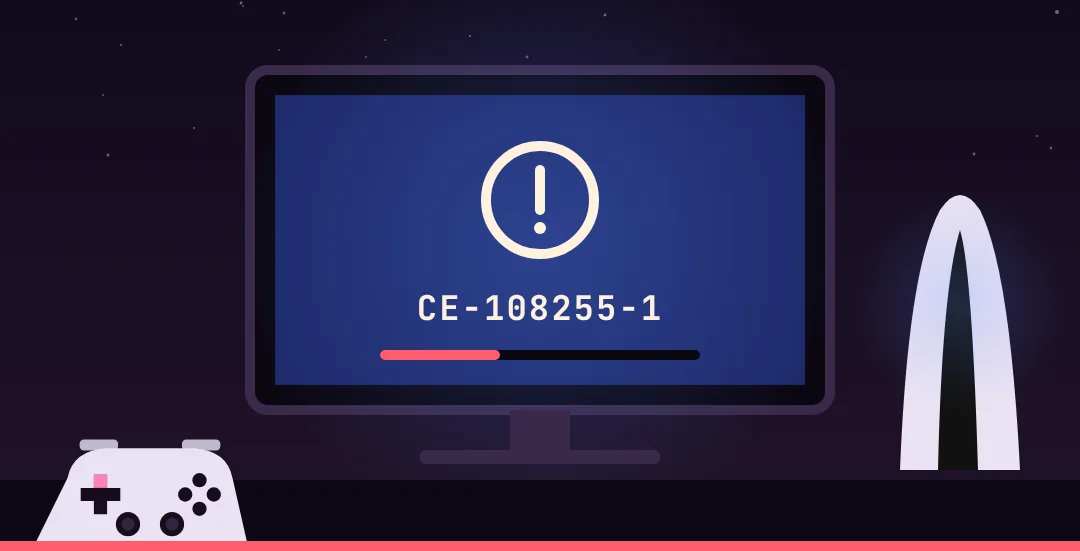
GTA 6 Crashing: PS5 Error CE-108255-1, Lost Saves and 60 FPS
What to do when GTA 6 crashes on PS5 or Xbox: fixes for error codes CE-108255-1 and CE-107891-6, missing saves, updates without patch notes and why there is no 60 FPS mode.
GTA 6 runs fine for most people, but since launch players on PS5 and Xbox Series X|S have reported crashes, mission bugs and lost progress. Rockstar hasn't named a cause. Its support page (updated November 18) points players with console errors to Sony's and Microsoft's help pages. Here's what you can do yourself.
Error CE-108255-1 on PS5
This is the most common code in the reports. Sony describes it as a general game or app crash. Some players hit it as early as the prologue. Work through these in order:
- Update the game: highlight GTA 6 on the PS5 home screen, press Options, select Check for Update.
- Check system software: Settings → System → System Software. According to dlcompare, GTA 6 needs at least version 26.07-14.23.00.
- Fully restart the console, don't just use rest mode.
- Check the install: is the game fully downloaded with both updates (see below)?
- Reinstall: only when nothing else works. At around 210 GB it takes a long time.
- Factory reset is Sony's last resort. It wipes the console, so back up first.
According to UNILADtech, some players say reinstalling and rebuilding the database didn't help either. At that point, contact Sony support.
Error CE-107891-6
Sony says this code means the game or an update didn't install properly. The fix: Settings → Storage → delete GTA 6 and reinstall it. Your saves are kept.
Save gone after a crash
Several players report having to replay missions after a crash, according to PC Games Hardware. Before you panic:
- Check the load menu: autosaves aren't listed in the same menu as manual saves. A save that looks lost is often still there.
- Save manually more often: ideally after each mission, in a safehouse bed. Why saving is sometimes greyed out is covered in our FAQ.
- Use several slots so one broken save doesn't take everything with it.
Mission won't continue
Players report cutscenes that don't trigger, for example after a bank visit with Lucia, and inputs not registering during a robbery. Reloading the last checkpoint or save usually helps. For specific missions, see our mission help. There's also a known character-switch bug in the missing tourists quest.
Updates so far
| Version | Date | PS5 size | Xbox size |
|---|---|---|---|
| 01.002.000 | November 13 | about 1.07 GB | about 2.18 GB |
| 01.002.001 | November 16 | about 602 MB | about 1.6 GB |
Both arrived before launch and, according to dlcompare, without patch notes. A claim on X says Rockstar scheduled a fix for November 25. Nothing on Rockstar's official channels backs that up. We'll add real updates here as they land.
Is there a 60 FPS mode?
No. GTA 6 runs at 30 frames per second on PS5, PS5 Pro, Xbox Series X and Series S. Rockstar's technology production director Marc Chambers told Kotaku that no 60 or 40 FPS mode is coming either. The reason is the CPU: even the PS5 Pro's isn't strong enough for the world simulation. The PS5 Pro does get extra ray-traced shadows and a sharper image through PSSR.
Frequently asked questions
What does CE-108255-1 mean in GTA 6?
A general game or app crash. Sony recommends updating the game first. Then check system software, restart the console and reinstall as a last step.
How do I fix CE-107891-6?
Delete GTA 6 under Settings → Storage and reinstall it. The error means the game or an update didn't install properly. Your saves are kept.
My save is gone after a crash. What now?
Check the load menu, since autosaves are listed separately from manual saves. From now on, save manually more often and use several slots.
Will GTA 6 get a 60 FPS mode?
No, not on any current console according to Rockstar, PS5 Pro included. The game runs at 30 FPS everywhere.
Are there patch notes for GTA 6?
Not yet. The two pre-launch updates came without notes. A supposed fix on November 25 is unconfirmed.
Is my PS5 broken if GTA 6 crashes?
Not necessarily. The error code only says something crashed, not why. Try every software step first and contact Sony support if the problem continues.
More guides

GTA 6 Missing Persons: All 3 Bodies in Port Gellhorn and the Serial Killer
How to solve the missing tourists case in GTA 6: start in the warehouse by Moses' shop in Port Gellhorn, find all three bodies (junkyard, trailer, sunken car), call the tip line and survive the mine.

GTA 6 Sales: $3.79 Billion on Day One and Every Launch Record
How much GTA 6 made on day one, how many copies sold before launch, how many people watched the launch live and what we know about player numbers. Every figure with its source.

GTA 6 Tree Effigies Locations: All 3 Skunk Ape Effigies for Kirk
Where to find all three tree effigies in GTA 6, how to search Pelican Valley by boat, and what happens after Search for Tree Effigies in Kirk's Skunk Ape quest.